
How to Choose Secure Radiology Software: HIPAA, Encryption, and Audit Trails Explained
Summarize this article with:



- 1. Risk of Using Insecure Radiology Software
- 2. Role of HIPAA Compliance in Radiology Software
- 3. Encryption: Encodes the Actual Content
- 4. Audit Trails: Make Count on Each Action
- 5. Other Security Features to Focus on
- 6. Don’t Repeat These Common Security Pitfalls.
- 7. Wise Decision Leads to a Safer Tomorrow
- 8. FAQs
Diagnostic centres are now shifting from traditional to modern imaging techniques, and software plays a vital role in this. Digital software carries out clinic operations effectively, enabling radiologists to focus on their critical aspects while saving time. Choosing radiology software should never be underestimated because one wrong decision can lead to a critical downfall.
However, not every software is secure. As medical imaging software works with confidential patient records, such as patient personal information, medical history, and medical images, “how to choose secure radiology software” is still a major question.
To simplify your choice, we have created this blog that highlights what to look for while choosing imaging or PACS RIS software for your business.
Let's dive in.
Risk of Using Insecure Radiology Software
When selecting one alternative out of others as medical imaging software, the important feature to consider is radiology data security. Lack of knowledge in picking reliable imaging software can lead to an invalid selection.
Some of the general risks that can take place by using insecure radiology software are:
-
Patient data leakage: when confidential medical information gets revealed publicly and misused by unauthorized personnel.
-
Ransomware attacks: A fraudster snatches accessibility rights from the owner and further demands payment in exchange for accessibility.
-
Financial and legal issues: Legal consequences can be applied to the healthcare industry to break privacy bonds, and charges can be applied to reverse the damage caused.
-
Patients lose interest: When there is a lack of privacy and security, it can lead to loss of trust amongst patients.
To overcome these challenges, you should properly interrogate the vendor regarding all security features that the imaging system consists of.
Get instant replies to all your queries with Conversational AI support.
Role of HIPAA Compliance in Radiology Software
The Health Insurance Portability and Accountability Act (HIPAA) was designed to protect the confidential data of patient health from being misused unknowingly. It also contributes to health insurance by ensuring its fair usage and continuity. It was created and enacted by the U.S. federal government.
A HIPAA-compliant radiology software should follow the strict guidelines mentioned under the act in all terms.
Key components:
-
Privacy rule- It is responsible for safeguarding patients' Protected Health Information
-
Security rule- it looks after protecting Electronic Protected Health Information created and maintained by related parties.
-
Breach notification rule- it notifies the victim of illegal action performed on their data as soon as possible.
-
Portability- it helps in continuing the insurance policy in case of a job loss or change and ensures fair service.
Patients can entertain themselves with:
- Right to view and get a copy of their records
- Right to ask for restriction
- Right to file a complaint in case of violation
What to look for:
-
Administrative security: limiting accessibility, training related users, and risk identification and analysis
-
Physical security: Secure servers, secure backup system, reliable network
-
Technical security: Safe Integration, periodic maintenance, and version updating
Do remember that while choosing HIPAA-compliant radiology software, the supplier should be completely clear in terms of the Business Associate Agreement (BAA).
Encryption: Encodes the Actual Content
The role of encryption is to basically convert the readable content to unreadable. So even if a malicious person tries to access the data, it will not be in a readable form. Data encryption in healthcare can create a great impact on security.
Encryption based on state:
-
Data at rest (stable state): It basically encodes the data that is not in motion. It focuses on PACS security and DICOM security standards.
-
Data in transit (moving state): It protects the medical record in between the transfers, such as sharing between clinics, professionals, and equipment.
What to look for:
-
End-to-end encryption healthcare: it encodes the patient health data in both states, i.e., moving as well as stable. It is basically responsible for healthcare data security from the time they are generated to where it flows.
-
Encryption key management: For safe encryption, the key needs to be protected. So ensure that the keys are not easily vulnerable and have fewer accessibility rights.
-
Backup with encryption facility: There can be 2 ways through which backups can be protected, either by encrypting the whole device (e.g., entire disk) or by encrypting individual files. Also, encryption for backup sharing is a must.
-
Virtual access encryption: Radiologists sometimes work remotely, so look for an encrypted app/web access, VPN facilities, or controlled entry points like secure gateways.
-
Standard mechanism for encryption: Ensure the chosen radiology software implements new and updated versions of AES, TLS, RSA, and SHA.
Choosing radiology software implementing an authorized encryption algorithm for the protection of medical data can optimize patient satisfaction.
Put an end to the era of manual reporting through AI-powered report generation.
Audit Trails: Make Count on Each Action
Audit trails are records based on all the details regarding a particular activity that takes place on patient records. It is an automatic process that is timestamped and stored sequentially based on its occurrence.
What record should be logged:
- record of who accessed the data
- time period of activity
- actions that were performed
- location of activity carried out
What to look for:
-
Detailed action record: Total details of the carried out activity should be mentioned, such as user identification, location of the user, login credentials, login and logout attempts, and failed login attempts.
-
Not modifiable logs: Once the records are logged, no one should have the right to modify or delete them. Due to this, no harmful actions can be hidden or rectified to be saved from suffering consequences.
-
Alert notifications: It should have the ability to identify suspicious, irregular patterns and provide an alert to the affected party, as well as the technician, as soon as possible, so that necessary actions are taken to prevent it.
-
Backup policy: All the logs must be regularly backed up to a secure storage that has limited access, and data from almost 6 -7 years should be retained.
-
Limitations on accessibility: Not every user should have the right to access the logs. A role-based access control (RBAC) mechanism should be used.
Auditing keeps monitoring every interaction with sensitive patient information, enhancing transparency and accountability. Without the presence of audit trails in healthcare system, even strong encryption is useless.
Other Security Features to Focus on
Besides encryption and audit trails, there exist other radiology software security features that you can't ignore to experience a smooth radiology workflow.
Other add-ons security features:
-
Multi-step verification: In this, a user has to go through 2 or more verification steps to get inside the system legally. Verification can be done either through credentials, biometrics, or OTP.
-
Trusted cloud solution: Storing data locally requires additional security and backup mechanisms, whereas cloud storage allows remote access, a built-in data security mechanism, and its own recovery backups.
-
Timely updating of software: A fixed periodic update is necessary to introduce new functionality, fix security loopholes, enhance performance, and reduce downtimes.
-
Periodic backup: Regular backups are most important for the sake of preventing accidental data loss during a crisis. This way, you can have another restored copy of the data.
-
Endpoint security: All the end nodes present in the networks are secured by executing anti-malware strategies and ensuring all devices are scanned regularly to detect any malicious activities.
Even a minor carelessness in terms of security can invite a huge cyber threat to turn into a permanent resident, which further becomes too difficult to recover, both financially and legally.
Take smart decisions with data-driven reporting and real-time analytics.
Don't Repeat These Common Security Pitfalls
Due to a lack of awareness regarding side effects, the imaging center keeps repeating some security mistakes. There can be a disruption in the workflow, an increase in report turnaround time, and a delay in patient recovery.
-
Out-of-generation systems: Using outdated systems can invite many malware and viruses. It can face struggles in producing high-resolution images, can suffer from more downtime, and can give low performance.
-
Allowance to weak credentials: If the imaging center does not restrict the weak, easy-to-predict passwords, then there is a high possibility of becoming a target of hackers.
-
Absence of security practices: Staff should be trained to identify suspicious activities, the consequences of those activities, and the action to be taken in an emergency.
-
Non-reliable cloud storage: Failure in choosing an ideal cloud storage can lead to permanent data loss or data damage due to a weak security mechanism.
-
Vulnerable Networks: Less secure networks, such as poor Wi-Fi connections, can lead to data interception during transmission
Failing to address these issues can lead to a reduction in patient flow and thus affect the reputation of the healthcare industry.
Wise Decision Leads to a Safer Tomorrow
Choosing secure radiology software has become mandatory nowadays because of the increasing cyber threats. Evaluating secure PACS/RIS solutions is necessary for the sake of the patient as well as healthcare providers to experience a hurdle-free radiology workflow. Knowing how to select radiology software can lead to a reduction in malware attacks, virus introduction, ransomware, and data breaches in the radiology solution. However, responsibility does not end after selecting safe radiology software because checking for regular updates should never be missed.
Stay stress-free about your data integrity with PlusRadiology - A secure and transparent radiology software.
FAQs
Approach a vendor based on good reviews, the population of their satisfied clients, and their transparency in terms of security services.
Yes, of course. Hence, it is necessary to assess each system, such as PACS and RIS, to ensure safe integration
Yes. It is the most important factor to consider because regular updates are necessary to prevent suffering from the consequences of outdated software.
Yes, while choosing the right radiology platform, you should inquire about the facilities of the training and demo session for the staff before getting in touch with the software.

Recent Posts
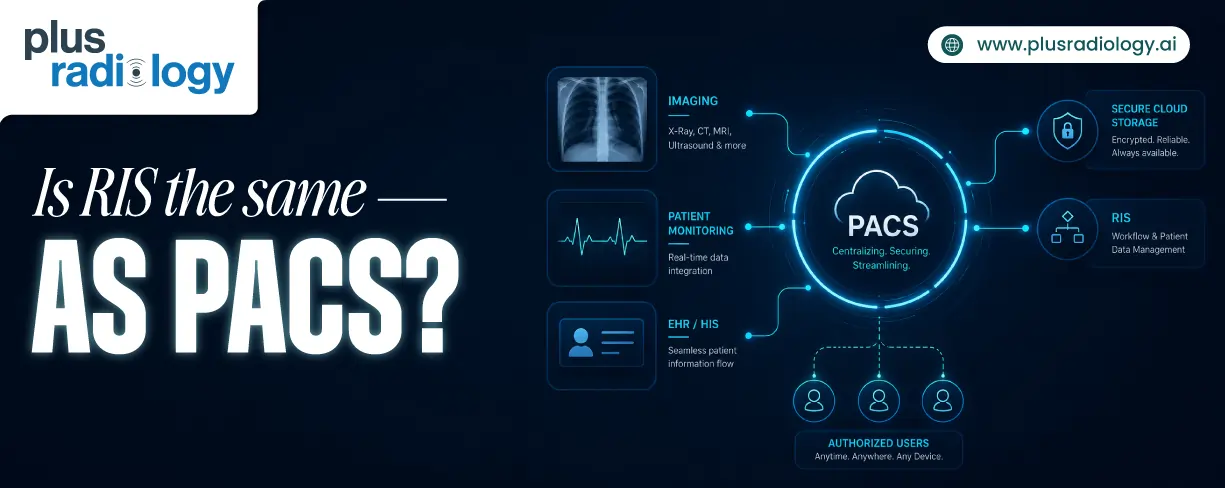
Is RIS the same as PACS?
June 29, 2026
HIPAA Compliance Checklist for Imaging Centers
June 23, 2026
AI for Radiology Reporting: How NLP Transforms Reports
April 29, 2026